What Blaze can do
Blaze is an AI agent built for Salesforce. Just say what you want — it moves from design to setup for you.
Blaze interviews you and defines requirements
From a short interview, Blaze organizes requirements and designs data models and ER diagrams automatically.
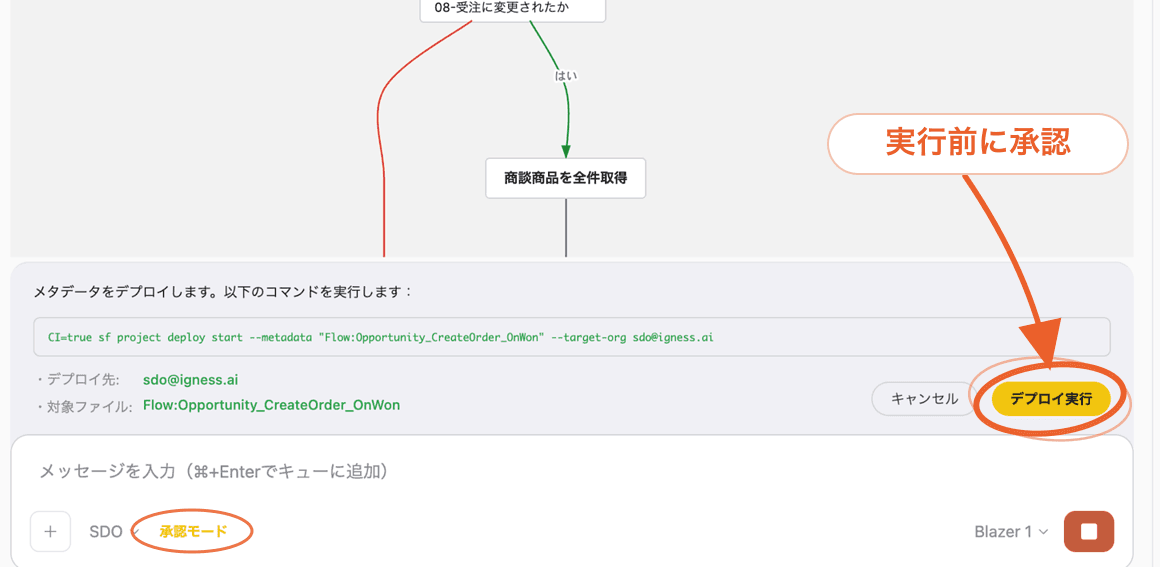
Operate Salesforce safely
Every AI change needs your approval before it runs. Roll back anytime, with a full operation history.
Build and fix Flows
Build and modify Flows in conversation — including troubleshooting errors in existing Flows.
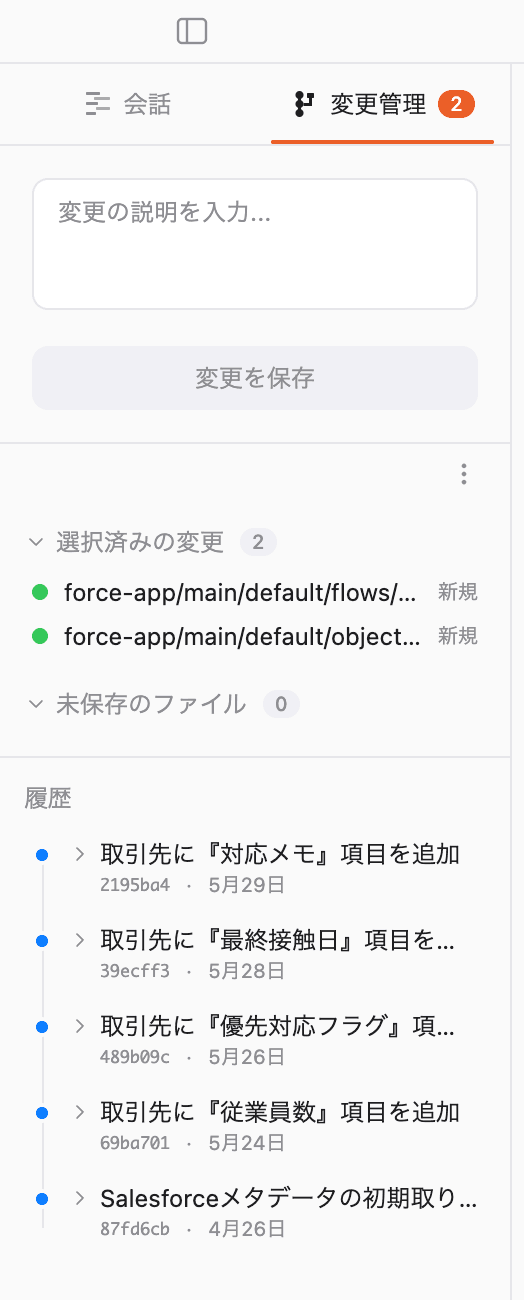
Version control
Every change is versioned, so you can restore any previous state at any time.
Work with records
No SOQL needed. Search, create, update, and delete records in chat.
Configure Agentforce
Create topics and actions in conversation, then preview them right inside Blaze.
Develop Apex & LWC
Generate classes, triggers, and components. Tests are created automatically.
Share with Canvas
Auto-build dashboards from records and share them with a single URL.
Reports & dashboards
Blaze analyzes your data, surfaces the fields that matter, and generates charts.
Set up permissions
Profiles, permission sets, and sharing rules — all done in chat.
Credentials and business data stay safely on your machine.
Unlike typical AI agents that keep your data in the cloud, Blaze is a local app running on your machine. Neither credentials nor business-data history pile up in a vendor's cloud.
Case studies

LegalOn shifted resources Blaze freed up from maintenance into 'offense'.

It works without any terminal commands, so we could roll it out to business users with confidence right from the start.
I'd been stuck for three days asking ChatGPT how to fix a batch process. After about an hour with Blaze, it generated the batch file and even produced the runbook for Task Scheduler.
Routine tasks no longer steal my time, so I can focus on the environment improvements and bigger projects I always wanted to tackle.

A non-engineer solved a tough Salesforce problem self-serve, during a wait at the airport.

In that hour-and-a-half wait at the airport, Blaze developed and shipped to release the two things I'd been agonizing over — a complex Flow and a screen I needed to add.
Blaze autonomously handled it, telling me 'the character encoding doesn't match, so I'll convert it.' Something an engineer would catch was a complete blind spot for me as a non-engineer.
What you want to solve really gets 'solved in seconds.' I could proceed with the feeling of having one excellent engineer sitting right next to me.

Turning inexperience into strength. Balancing Salesforce reskilling and productivity with Blaze.

For less-experienced members, Blaze also has great value as a learning tool for understanding how things should be built.
For Sandbox-to-production deployments, Blaze identifies every difference and proceeds while confirming what to deploy. Work that would never pass on the first try by hand has become astonishingly easy.
There are cases where customer requests that used to take one to two weeks can now be handled in about two to three hours.
Pricing
Free
No credit card required
- 20 conversations
- Unlimited Salesforce org connections
- Install on up to two devices
Professional
Credit card or bank transfer (prepaid)
- Everything in Free
- Email support
A weekly usage cap applies. Usage beyond the weekly cap is metered at $0.02 per credit.
Download now
Windows
| OS | Windows 10 or later |
| CPU | Intel Core i5 / i7 / i9, or Ryzen 5 / 7 / 9 |
| Memory | 8 GB or more (16 GB recommended) |
| Disk space | 2 GB or more |
Mac
| OS | macOS 14.5 (Sonoma) or later |
| CPU | Apple M1 / M2 / M3 / M4 / M5 (Intel Mac not supported) |
| Memory | 8 GB or more (16 GB recommended) |
| Disk space | 2 GB or more |